MS SQL Server backup
Secure and automated backup of your company’s databases with no downtime; easy to deploy and administer. Takes advantage of the embedded capabilities in MS SQL Server's backup and restore functions for fast and reliable backup & restore
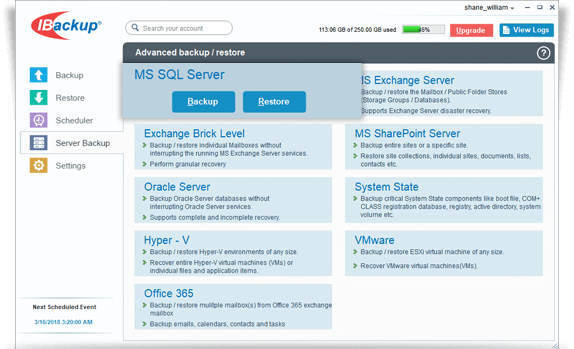
MS SQL Server Backup
The online backup can easily be configured through the graphical user interface and scheduled for a future date and time. Ensure that you have sufficient space in your computer as the data is first backed up to a temporary directory on your computer.
View the steps to backup the MS SQL Server database to the IBackup account.
MS SQL Server Restore
Restore functions include point-in-time recovery of the specified databases. You need appropriate privileges to perform the backup and restore operations.
View the steps to restore the MS SQL Server database to the IBackup account.
Features
- Backup of MS SQL Server databases without interrupting running MS SQL Server services
- Supports full and transaction log style backups
- Reliable backups using Microsoft SQL Server API technology
- Advanced scheduling options including email notification
- Wire compression of data for optimal backup and restore time
- Supports differential and incremental backup for SQL database
- Allows selection of a network mapped drive or network-attached storage (NAS) drive as the destination for your SQL Server database backup - in addition to cloud backup
System Requirements
- Windows 2016 server, Windows 2012 server, Windows 2008 server
- 128 MB RAM
- Sufficient hard disk space to store the database backup files (.dmp) for temporary backup and restore